

Quick answer
An HR directory is a searchable directory of HR companies, HR software vendors and Human Resources service providers. Businesses can use an HR directory to discover solutions across payroll, recruiting, HRIS, HCM, Employer of Record, benefits, compliance, employee engagement, learning, workforce management and other HR categories. HRYP is a global HR directory designed to help buyers discover HR technology and service providers and build a more relevant vendor shortlist.
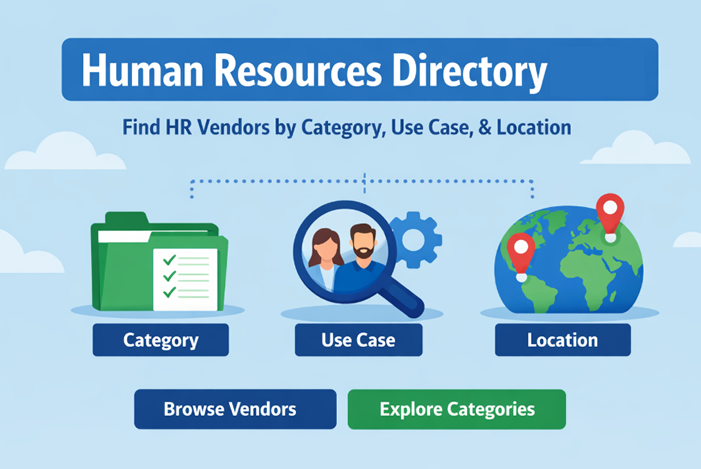
What Is an HR Directory?
An HR directory is an organized resource that helps businesses find companies providing Human Resources technology, software and professional services.
Instead of searching the entire web for individual providers, buyers can start from an HR-focused environment and explore companies within relevant categories.
Depending on the directory, those categories may include:
- HR software and HRIS platforms;
- Human Capital Management systems;
- Applicant Tracking Systems and recruiting software;
- payroll technology and payroll services;
- Employer of Record and global employment platforms;
- workforce management;
- employee engagement and recognition;
- learning and development;
- performance management;
- benefits technology;
- people analytics;
- HR compliance;
- HR consulting and outsourcing;
- AI recruiting and HR automation.
The purpose is not to replace procurement or due diligence. A good HR directory gives a buyer a structured starting point for discovery and comparison.
HR Directory vs Employee Directory vs HR Professionals Directory
The phrase HR directory is used online for several different types of resources. Understanding the difference helps you find the right one.
| Type of directory | What it contains | Typical use |
|---|---|---|
| HR company / vendor directory | HR software companies, technology vendors, consultants and HR service providers | Finding and comparing HR solutions for a business |
| HR professionals directory | Recruiters, HR managers, HR business partners and other individual professionals | Networking, membership or professional discovery |
| Employee directory | Employees inside one organization | Internal staff search, organizational charts and contact information |
| HR contacts database | Contact details for HR decision-makers | Sales prospecting and outreach |
HRYP focuses on the first model: a directory of HR software companies, HR technology vendors and Human Resources service providers for organizations researching HR solutions.
What Can You Find in an HR Directory?
The most useful HR directories organize vendors around the problem a buyer is trying to solve. That makes category selection an important first step.
| HR category | Typical buyer need | Questions to ask |
|---|---|---|
| ATS / Recruiting | Hiring pipelines, job posting, candidate management and recruiter collaboration | Which job boards, integrations, interview workflows and hiring-team features are supported? |
| HRIS / Core HR | Employee records, onboarding, workflows, permissions and reporting | How configurable are workflows, roles and integrations? What does implementation require? |
| Payroll | Pay runs, tax filings, reporting and payroll administration | Which countries or jurisdictions are supported? What services and compliance support are included? |
| EOR / Global Employment | Hiring internationally without establishing a local entity | Which countries are covered? What is the onboarding model? Which responsibilities remain with the customer? |
| Performance & Engagement | Reviews, employee feedback, engagement, recognition and retention | How will employees and managers use the platform in practice? Which metrics are useful? |
| Benefits | Benefits administration, communication and employee access | Which benefits, integrations and employee populations are supported? |
You can begin with the HRYP HR Vendors Directory or browse the HR categories to narrow the search.
If you are specifically looking for payroll, recruiting, EOR, HR consulting, outsourcing or other service providers, use our HR services directory to narrow the search.
How to Use an HR Directory to Build a Better Vendor Shortlist
Searching every vendor individually can produce a long list of companies that look similar. A better process is to narrow the market in stages.
1. Start with the business problem
Do not begin with “we need HR software.” Start with the workflow or problem that needs to improve.
- Recruiting workflow problem → ATS or recruiting technology
- Employee records and HR workflows → HRIS or HCM
- Payroll complexity → payroll software or payroll service providers
- International hiring → EOR or global employment platforms
- Retention and engagement → employee engagement technology
- Workforce planning → analytics or workforce management
2. Define no more than five must-have requirements
- What must the solution do on day one?
- Which integrations are non-negotiable?
- Which countries or jurisdictions must be supported?
- What data or reporting is required?
- Who will use the system regularly?
3. Build an initial shortlist
Browse vendors within the correct HR category and create an initial list of companies whose positioning, customer profile and service scope appear relevant.
4. Compare workflows, not just feature lists
Many HR vendors offer similar feature lists. The real difference often appears in implementation, workflow design, integrations and the type of organization the vendor serves best.
5. Validate before making a buying decision
A directory can help with discovery. Buyers should still validate security, integrations, implementation requirements, service coverage, total cost and contractual terms directly with the provider.
Find HR Vendors by Use Case, Not by Buzzwords
Two companies can describe themselves using the same HR category and still serve very different customers. Use case and organizational context can make the shortlist much more useful.
Startup scaling
- Need: quick implementation and low administrative overhead
- Look for: clear onboarding, sensible defaults and transparent product scope
- Watch for: enterprise complexity that a small HR team does not need
Mid-market growth
- Need: stronger workflows, permissions, integrations and reporting
- Look for: configurable processes and a mature integration ecosystem
- Watch for: disconnected systems that create manual reconciliation
Global hiring and distributed teams
- Need: reliable international employment or contractor workflows
- Look for: country coverage, onboarding processes and clear service responsibilities
- Related guide: Contractor Onboarding at Scale (2026)
Compliance-heavy organizations
- Need: permissions, documentation, auditability and controlled workflows
- Look for: security documentation, reporting capabilities and appropriate controls
- Watch for: vendors unable to explain how key processes are governed
HR Directory for US, UK, Canada and Global Buyers
HR technology markets are increasingly international, but geography can still matter significantly.
A buyer in the United States may need multi-state payroll support or integrations common in the US market. A UK buyer may prioritize UK payroll, employment workflows and local support. Canadian and Australian companies may have their own payroll, benefits and employment requirements. Global organizations may need country coverage across several regions.
For that reason, an HR directory can help identify potential providers, but buyers should always confirm the vendor’s actual geographic coverage directly.
When country coverage matters, consider:
- where the vendor can deliver the relevant service;
- which countries or jurisdictions the product supports;
- which integrations are available in each market;
- whether local implementation or support is available;
- whether important functionality varies by country.
For US payroll operations, see the Multi-State Payroll Setup Checklist .
What Makes a Good HR Directory?
A useful HR directory should do more than publish company names.
When evaluating an HR directory, look for:
- Relevant categories: vendors should be organized around recognizable HR problems and solution types.
- Clear company profiles: buyers should quickly understand what a vendor provides.
- Useful website and contact paths: interested buyers should be able to continue their research.
- Consistent company information: profiles should identify the vendor and its market positioning clearly.
- Editorial controls: directories should discourage misleading or low-quality submissions.
- Search and browse functionality: buyers should be able to move efficiently from a broad category toward relevant providers.
No directory can determine whether a product is right for every company. Its role is to make discovery and initial research more efficient.
What to Verify Before You Book HR Software Demos
Once your HR directory research produces a shortlist, verify the areas that can have the greatest impact on implementation and long-term value.
- Implementation: timeline, data migration and required internal resources.
- Integrations: payroll, HRIS, SSO, accounting, recruiting, calendar and other critical systems.
- Security: documentation, access controls, certifications where relevant and data handling.
- Support: onboarding, ongoing support and account-management model.
- Coverage: countries, jurisdictions or employee populations supported.
- Total cost: subscriptions, implementation, add-ons, services and support.
Common Mistakes When Using an HR Directory
Comparing feature lists instead of business outcomes
Feature checklists often make competing vendors look almost identical. Ask what actually changes for HR, managers and employees when the product is implemented.
Ignoring the vendor’s ideal customer profile
A platform built primarily for multinational enterprises may be unnecessarily complex for a 50-person company. A lightweight startup tool may not provide the controls needed by a large regulated employer.
Assuming category labels mean every product works the same way
“Payroll,” “ATS” and “HRIS” describe broad categories. The workflow, service model and target customer can differ substantially within each category.
Skipping implementation and adoption
Software value depends on whether the organization can implement and use it successfully. Include adoption, training and internal ownership in the evaluation.
For HR Vendors: How to Get Listed in an HR Directory
HR directories are not useful only to buyers. For HR software companies and service providers, a relevant directory profile creates another public place where potential customers can understand the business.
A strong vendor listing should communicate:
- what you provide;
- who the product or service is designed for;
- which HR category you belong to;
- your most important use cases;
- your website and contact path;
- relevant proof and accurate company information.
The objective is not simply to collect another backlink. A well-built listing should make the company easier for buyers, search engines and AI-assisted research systems to identify and understand.
List your HR company on HRYP
HRYP offers two directory options for HR software companies and HR service providers:
- Directory Basic — $29 for a 365-day listing
- Directory Pro — $79 one-time for a permanent listing
Directory Pro has no annual listing renewal requirement. New submissions are subject to editorial review.
To understand the difference between the two plans, read HR Software Directory Listing: Get Your HR Tech Company Listed Permanently .
Vendors preparing their profile can also use the HR Vendor Listing SEO Checklist .
Frequently Asked Questions About HR Directories
What is an HR directory?
An HR directory is an organized resource for discovering Human Resources companies, software vendors and service providers. A business-focused HR directory can include HRIS, payroll, recruiting, EOR, benefits, workforce management, employee engagement, HR consulting and other HR solution categories.
What can I find in an HR directory?
Depending on the directory, you may find HR software companies, payroll providers, recruiting platforms, HRIS and HCM vendors, Employer of Record services, benefits providers, employee engagement technology, learning platforms, HR consultants and other Human Resources providers.
Is an HR directory the same as an employee directory?
No. An employee directory normally contains information about people working inside one organization. A business-focused HR directory such as HRYP is designed to help organizations discover HR software companies and external Human Resources service providers.
Is an HR directory the same as an HR professionals directory?
Not necessarily. An HR professionals directory usually lists individual HR practitioners, recruiters or members of a professional network. HRYP focuses on companies and vendors providing HR technology and services.
What is the difference between an HR directory and an HR vendor directory?
“HR directory” is the broader term and can describe different Human Resources directory models. An HR vendor directory focuses specifically on companies selling HR technology, software or services to organizations. HRYP functions as an HR vendor and company directory for HR buyers.
How do I find HR software vendors?
Start with the HR software category that matches the problem you are solving, such as payroll, ATS, HRIS, workforce management or employee engagement. Then compare providers based on customer fit, use cases, integrations, geographic coverage, implementation and cost.
How do I find HR service providers?
Identify the service category first, such as payroll, recruiting, Employer of Record, consulting, compliance or training. Use an HR directory to create an initial shortlist and then validate capabilities directly with each provider.
Does HRYP list companies from the United States and United Kingdom?
HRYP is designed as a global HR directory rather than a directory limited to one country. Vendors can provide country information where relevant, while buyers should confirm actual service and product coverage directly with each provider.
How much does it cost to list an HR company on HRYP?
HRYP Directory Basic costs $29 for a 365-day listing. Directory Pro costs $79 as a one-time payment for a permanent listing with no annual directory renewal requirement.
Does paying guarantee publication in the HRYP HR Directory?
No. New and updated submissions remain subject to editorial review.
Get Your HR Brand Featured on HRYP
Reach HR and business technology audiences with sponsored editorial coverage, vendor visibility and managed launch campaigns built for HR tech, SaaS and AI brands.
Sponsored editorial features from $170, with managed visibility and launch packages available.

[…] Categories How to Use an HR Directory (2026) List Your HR Company Contents hide 1 For HR Buyers 2 For HR Vendors 3 What Is an […]