

Summary (TL;DR): If payroll, time, and benefits are living in silos, reports take days, and compliance risks keep you up at night, you’ve likely outgrown payroll-only software. A modern HCM centralizes data, automates workflows, and pays for itself via reduced errors, faster cycles, and stronger employee experience.
Why Companies Outgrow Payroll-Only Tools
Payroll-only tools work well for early-stage teams with simple needs—one location, straightforward pay policies, and limited benefits. As headcount, geographic footprint, and HR programs expand, however, payroll becomes the downstream output of many HR processes: time capture, scheduling, leave management, benefits elections, job and compensation changes, onboarding and offboarding. When those inputs live in emails, spreadsheets, or disconnected apps, payroll turns into a monthly firefight instead of a reliable, repeatable process.
Guide to choosing a modern HCM suite (SHRM)In practice, organizations outgrow payroll-only software along four vectors of complexity:
- Workforce: more hourly staff, mixed bargaining units, variable pay, different accrual rules, contingent workers.
- Footprint: multi-site and multi-state (or cross-border) with different tax regimes, overtime rules, and break requirements.
- Programs: richer benefits, multiple plans and eligibility windows, HSA/FSA, garnishments, bonuses, equity events.
- Data & governance: disconnected systems (time, benefits, ATS, LMS), fragile CSV jobs, limited audit trails.
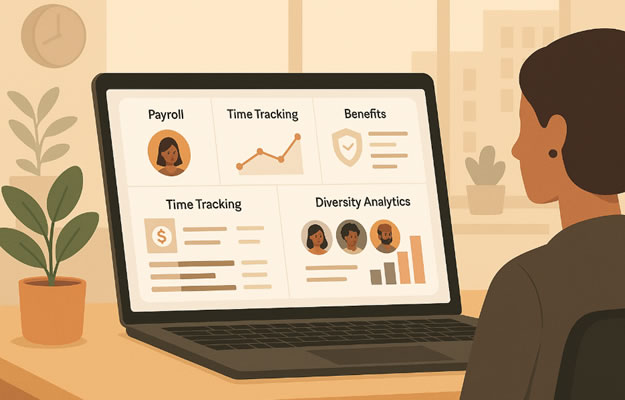
As these factors grow, the symptoms are predictable: longer payroll cycles, more exceptions and re-runs, off-cycle corrections, rising help-desk tickets, and leaders waiting days for basic labor-cost reports. Hidden costs pile up—manual reconciliations, IT time spent nursing integrations, compliance exposure from policy drift, and an inconsistent employee experience.
Looking for a unified alternative? Explore the Paylocity all-in-one HR & payroll solution designed for growing teams.A modern HCM addresses the root cause, not just the symptoms. It provides a single employee record from hire to retire; event-driven workflows that update pay, time, and benefits automatically; embedded compliance rules (ACA/FLSA/state rules, union CBAs) enforced at the point of entry; and open integrations that keep finance, identity, and talent systems in sync. The result is on-time, accurate, auditable payroll—plus real-time analytics leaders can actually use.
Example: A 250-employee retailer expands into three states and adds variable scheduling. With payroll-only, managers email timesheets, HR updates benefits manually, and finance reconciles labor costs by hand. Errors spike and each payroll takes two days. After moving to an HCM, time and scheduling flow into payroll automatically, eligibility rules update benefits on status change, and approvals happen on mobile. Payroll closes in hours, not days, and off-cycle corrections drop sharply.
9 Clear Signs It’s Time to Move to an HCM
1) Manual time, leave, and scheduling are driving payroll errors
What it looks like: Imports from clocks or spreadsheets, managers emailing edits, PTO balances updated by hand, frequent off-cycle corrections.
Why it hurts: Every manual handoff multiplies error risk and extends payroll run time; trust in pay accuracy drops and tickets spike.
How to diagnose (quick checks):
- % of timecards adjusted post-submission
- Off-cycle payments per pay period
- Hours spent reconciling timesheets vs. policy
What “good” looks like with HCM: Time capture, leave, and scheduling feed payroll automatically; variance rules flag exceptions before payroll closes; managers approve on mobile.
2) Benefits, time, and payroll live in different systems
What it looks like: Mid-month benefit changes don’t hit payroll in time; eligibility windows and life events are tracked in email; file feeds fail silently.
Why it hurts: Data drift creates taxable benefit errors, missed deductions, and retro adjustments that frustrate employees and finance.
How to diagnose:
- Count of retro benefit deductions per month
- Number of failed/late file feeds between systems
- Reconciliation time between benefits and payroll registers
What “good” looks like with HCM: A single employee record updates pay codes and deductions instantly; life events trigger guided workflows; audits show exactly who changed what and when.
3) Compliance risk is rising (multi-state, ACA, overtime, breaks)
What it looks like: Policies live in PDFs; supervisors “remember” rules; meal-break and overtime exceptions are fixed manually after the fact.
Why it hurts: One misapplied rule across sites snowballs into penalties, back pay, and legal exposure.
How to diagnose:
- % of shifts violating meal/break rules before correction
- ACA measurement/admin hours per month
- Number of policy exceptions requiring manual overrides
What “good” looks like with HCM: Rules engines enforce FLSA/state/CBAs at the point of entry; alerts catch non-compliance in real time; ACA measurement and reporting are automated.
4) Reporting takes days, not minutes
What it looks like: HR exports CSVs from multiple tools; finance waits for headcount and labor cost rollups; leaders lack real-time dashboards.
Why it hurts: Decisions lag; budgeting and workforce planning rely on stale or inconsistent data.
How to diagnose:
- Time to produce a standard labor report (request → delivery)
- Number of manual joins/VLOOKUPs per report
- Frequency of “data doesn’t match” disputes between HR and finance
What “good” looks like with HCM: Live dashboards for overtime, headcount, attrition, and labor cost by cost center; scheduled reports hit inboxes automatically.
5) No modern employee self-service
What it looks like: HR handles tickets for pay stubs, tax forms, PTO balances, address/banking changes; employees can’t view schedules or request time off on mobile.
Why it hurts: HR becomes a help desk; SLA times grow; employee experience suffers for basic tasks.
How to diagnose:
- Ticket volume by category (pay stub, PTO, personal info)
- Avg. time to resolve routine requests
- % of employees actively using a mobile HR app
What “good” looks like with HCM: Employees and managers self-serve on web/mobile; guided changes update payroll/benefits instantly; ticket volume drops materially.
6) Manager workflows keep breaking
What it looks like: Approvals stall; shift swaps aren’t reflected in payroll; exception handling lives in email.
Why it hurts: Supervisors waste time, and last-minute fixes create payroll reruns and morale issues.
How to diagnose:
- Avg. approval cycle time for timesheets/schedule changes
- % of exceptions handled outside the system
- Number of payroll re-runs due to late approvals
What “good” looks like with HCM: Role-based workflows, deadline nudges, and mobile approvals; exceptions routed with context; audit trails for every action.
7) Integrations are brittle or homegrown
What it looks like: Nightly CSVs fail; IT maintains custom scripts; minor schema changes break downstream processes.
Why it hurts: Data latency and breakage erode confidence; IT becomes a bottleneck for routine HR ops.
How to diagnose:
- Integration failure rate per month
- Hours of IT time spent maintaining HR file jobs
- Number of systems holding the “golden” employee record
What “good” looks like with HCM: Pre-built connectors and stable APIs; event-based sync to finance/identity/ATS; monitoring and alerts for any data issues.
8) Growth has outpaced the tool
What it looks like: New entities, locations, or pay rules require messy workarounds; the system can’t model your organizational complexity.
Why it hurts: Every edge case becomes a manual fix; scaling multiplies complexity and risk.
How to diagnose:
- Count of manual workarounds required per pay period
- Time to onboard a new site/business unit into the system
- Incidents where policies couldn’t be represented in the tool
What “good” looks like with HCM: Flexible org structures, pay policies, and leave rules configurable without custom code; templated rollouts for new sites.
9) Talent processes are missing or disconnected
What it looks like: Recruiting, onboarding, performance, and learning live in separate tools (or nowhere); new-hire data is re-keyed into payroll.
Why it hurts: Slow handoffs produce errors (titles, pay rates, start dates); managers lack a full view of an employee’s lifecycle and development.
How to diagnose:
- % of new-hire records re-keyed manually into payroll
- Time from offer acceptance to day-one readiness
- Completion rates for onboarding and compliance training
What “good” looks like with HCM: Offer → onboarding → payroll is a single guided flow; performance and learning data feed compensation decisions; managers see a complete, current profile.
Quick scorecard: If you’re nodding “yes” to 4 or more signs—and your diagnostics show consistent manual fixes or delays—you’ve likely outgrown payroll-only software and will see immediate gains from a unified HCM.
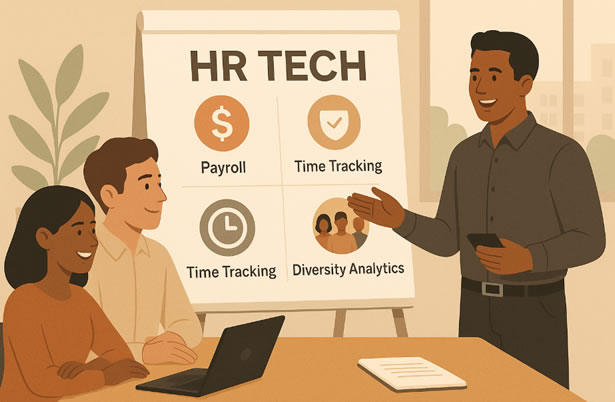
What “Good” Looks Like in a Modern HCM
- Unified data model: One employee record from hire → pay → benefits → performance.
- Automated workflows: Eligibility rules, approvals, and calculations run in the background.
- Mobile self-service: Employees and managers handle routine tasks anytime, anywhere.
- Real-time analytics: Dashboards for labor cost, overtime, turnover, and headcount trends.
- Open integrations: Pre-built connectors and APIs to your finance stack, ATS, and more.
- Built-in compliance: Policy engines and audit trails for ACA, FLSA, state rules, and leave.
The Migration Game Plan (Practical & Low-Risk)
- Define scope & outcomes: Which populations, pay groups, and modules are phase 1? What KPIs will prove success (e.g., error rate ↓, payroll run time ↓)?
- Map data & policies: Standardize fields, clean duplicates, and document accruals, earning codes, and benefit rules.
- Integrations first: Prioritize the “bookends” (finance, time capture, identity/SSO) so downstream reporting is trusted from day one.
- Pilot + parallel: Run small groups in parallel payroll cycles to validate results, then roll out by site or business unit.
- Enable & communicate: Targeted training for HR, managers, and employees; create micro-guides and in-app tips.
- Measure & iterate: Track KPIs monthly; close gaps on workflows, rules, and permissions.
Business Case Template: Cost vs. Value
Below is a simple TCO/ROI framework you can adapt to your organization. Replace the assumptions with your actual numbers.
| Component | Current (Payroll-Only) | With HCM | Annual Impact |
|---|---|---|---|
| Payroll run time (hrs/pay cycle) | 16 | 8 | -208 hrs (26 cycles) |
| Payroll error rate | 2.0% | 0.8% | Fewer re-runs + less rework |
| Manual admin (tickets/mo) | 300 | 120 | -2,160 tickets |
| Compliance risk (est. $) | High | Lower | Avoided fees/audit hours |
| Employee turnover (voluntary) | 18% | 16% | Savings on replacement costs |
| Reporting cycle time | Days | Minutes | Faster decisions |
Tip: Multiply saved hours by fully-loaded hourly rates; add avoided penalties and reduced turnover costs. Then subtract HCM subscription and one-time implementation fees to calculate net ROI.
Objections You’ll Hear—and How to Respond
- “We can’t afford it this year.”
Response: You’re already paying—via rework, re-runs, tickets, and audit risk. Show the TCO, not just the license fee. - “Implementation will be disruptive.”
Response: A phased rollout with pilots and parallel runs minimizes risk. Start with payroll + time, then expand. - “Our IT team is underwater.”
Response: Modern HCMs ship with pre-built connectors and managed integrations—less custom code, fewer brittle CSV jobs.
Readiness Checklist (Score Yourself)
- Payroll relies on manual files and email handoffs.
- Employees lack mobile self-service for pay, time-off, and benefits.
- Managers can’t approve time or view schedules on the go.
- You maintain multiple sources of truth for employee data.
- Reports require downloads and VLOOKUPs.
- Compliance rules live in docs or someone’s head.
- Integrations fail regularly or require frequent IT help.
- You’ve added locations/entities your current tool can’t model.
- Talent processes (onboarding, performance, learning) are disconnected.
If you checked 4+ boxes, you’re likely past the point where payroll-only software can keep up.
The Bottom Line
As complexity grows, payroll can’t be accurate or on time unless everything around it is streamlined. An HCM makes payroll the output of clean, automated HR processes—not a monthly scramble.
Ready to see the difference? See Paylocity in action — unify payroll, time, and benefits in one platform.
FAQs: When to Move from Payroll to HCM
What’s the difference between payroll software and an HCM?
Payroll calculates and issues pay. HCM unifies payroll with time, benefits, talent, and analytics to automate processes and improve compliance and visibility.
How do I know we’ve outgrown our payroll tool?
Look for recurring manual work, rising error rates, reporting delays, and compliance concerns. If multiple signs are present, it’s time to evaluate an HCM.
Is migrating to an HCM risky?
With a phased plan, parallel payroll runs, and targeted training, organizations cut risk while improving accuracy and cycle times.
What ROI is realistic?
Most companies realize savings from reduced rework, fewer errors, avoided penalties, lower turnover, and faster reporting. Use the TCO table above to model your numbers.
For details, check the full Paylocity pricing and features overview on our directory.Get Your HR Brand Featured on HRYP
Reach HR and business technology audiences with sponsored editorial coverage, vendor visibility and managed launch campaigns built for HR tech, SaaS and AI brands.
Sponsored editorial features from $170, with managed visibility and launch packages available.

[…] growing companies eventually When to Scale Up to an HCM as they outgrow basic payroll […]